Imagine diving the enemy jungler under tower, shoving waves endlessly, and split-pushing to victory while your team survives 4v5. As a fed top laner, you're the game's kingmaker. But turning that 10-kill lead into a win? That's the real art. This guide arms you with battle-tested strategies to carry your team from top lane dominance. Let's dive in and turn solos into stomps. 🚀
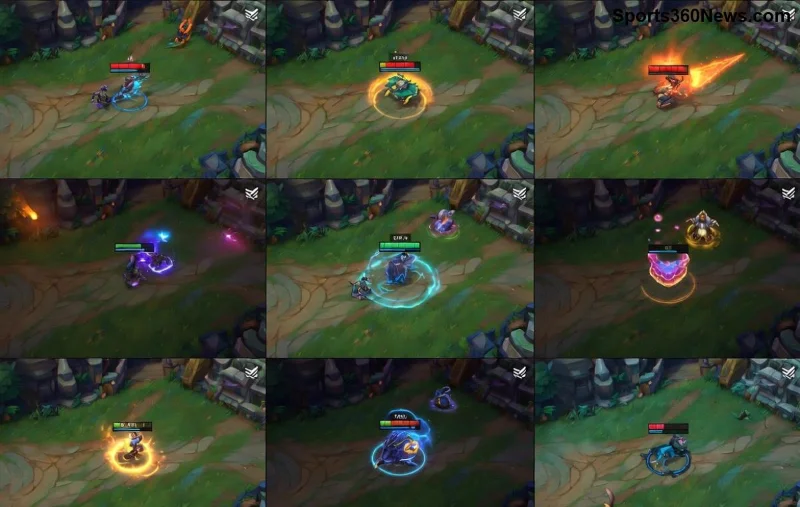
1. Snowball Your Lead: Lane Dominance First
Your fed top laner journey starts in lane. Once ahead, don't just farm—punish. Here's how:
- ✅ Wave Management Mastery: Freeze near your tower to bait ganks, or slow-push for dives. Use minions as shields to trade aggressively.
- ⭐ Invade Vision Control: Ward enemy jungle entrances. Ping missing enemies and steal camps when safe.
- 1️⃣ Force Roams Down: After killing your laner, shove and roam mid. A fed Darius or Fiora can delete the wave and join fights.
Pro tip: Track enemy summoners. If they're low on flash, all-in. This mindset shifts you from farmer to carry top laner.
2. Split Push Like a Pro: The Fed Top Laner's Superpower
Split pushing wins games for fed top laners. You're unkillable—use it. Force the enemy to respond or lose towers.
- Pathing Precision: Top → raptors → herald → mid T1. Always have TP up for backdoors.
- Vision Denial: Pink wards in river bushes. Deep ward enemy jungle to spot rotations.
- Pressure Points: Draw 2+ enemies? Your team gets free objectives. Ping "on my way" to mid for dives.
"A fed top laner who split-pushes correctly wins 80% of games." – High Elo wisdom.
3. Map Impact: Beyond the Lane
Don't tunnel top. As a fed top laner, rotate smartly:
- 🗺️ Herald Priority: Take it solo post-laner kill. Slam bot for double towers.
- ⚡ Dragon Soul Plays: TP into dragon fights. Your burst deletes carries.
- 🔄 Counter-Jungle: Farm their red/blue when shoved up. Starve their jungler.
Track the map like a radar. Use tab screen to spot sidelane advantages and punish.
Master Itemization for Carry Potential
Items amplify your fed status. Build for split-push gods and teamfight monsters.
| Champion Type |
Core Build |
Why It Carries |
| Bruiser (e.g., Darius) |
Trinity Force → Sterak's → Death's Dance |
Sustained DPS + survivability for 1v2s |
| Duelist (e.g., Fiora) |
Ravenous Hydra → Divine Sunderer → Sterak's |
True damage shreds tanks in split pushes |
| Tank (e.g., Ornn) |
Heartsteel → Sunfire → Thornmail |
Scales infinitely, enables engages |
Runes? Conqueror for duelists, Grasp for tanks. Adapt to enemy comp—anti-heal into healers.
![League of Legends fed top laner teamfight engage]()
Teamfights: The Ultimate Carry Moment
Even split-push kings join scraps. Position as frontline assassin:
- 💥 Flank Engages: Use bushes or ults (e.g., Malphite R) to delete ADC.
- 🛡️ Peel for Carry: If team has hypercarry, bodyblock for them.
- ⚔️ Zone Control: Force enemies to fight you 1v1 while team cleans up.
Key: Buy time. Your fed stats mean you outlast anyone. Flash ult the backline and watch teams crumble. 👑
Champion Picks: Fed Carry Machines
Pick these for top lane carry potential:
- Fiora: Vitals melt anyone. Split-push queen.
Darius: Ghostblade rush for ghosting towers.
- Aatrox: Worldbreaker ult zones fights.
- Sett: True damage facebreaker 1v9s.
Check u.gg tier list for meta picks. Flex into support if needed, but top is your throne.
Common Mistakes to Avoid
Don't ARAM mid at 15 minutes. Greed for kills over objectives loses games. And always—buy control wards. 😤
Final Thoughts: Become the Uncarryable Force
Mastering how to carry your team as a fed top laner means vision, macro, and unyielding pressure. Practice in norms, climb in ranked. Next game, shove top, ping "group," and watch enemies surrender. You've got this—go fed and frag! 🎉
Share your craziest carry stories below. What’s your go-to fed pick? Let's discuss in comments.