Home
» 🎮 Esports
»
Fix Fabric Minecraft Crashes: Diagnose Mod Material Mixups
Fix Fabric Minecraft Crashes: Diagnose Mod Material Mixups
Fix Fabric Minecraft Crashes: Diagnose Mod Material Mixups
If Minecraft Java Edition closes with a Fabric-related crash or the launcher shows “Code 1,” that label alone does not identify the broken mod. A rendering or material warning can be a clue, but it does not prove that the warning caused the crash. The reliable fix is to read the crash report, check that every mod matches the exact Minecraft and Fabric setup, then isolate the conflicting component in a copy of the profile.
This guide covers Fabric Minecraft crashes commonly described as mod material mixups, including problems involving rendering mods, shaders, resource packs, and content mods. There is no universal version number or config toggle that fixes every combination. Work through these checks in order and keep your original world and modpack intact.
What “Mod Material Mixups” Can Tell You
Fabric’s troubleshooting guidance points players to the crash report and game log to find the exception and the mods involved. A log may mention rendering, textures, or a particular mod, but the first mod named in a stack trace is not automatically the only mod at fault. Two mods can interact, or a mod may simply be where the failure becomes visible.
Look for the moment the problem occurs: does the game fail before the title screen, when joining a world, while loading chunks, or only after a shader or resource pack is enabled? Missing textures or visual glitches are different evidence from a full crash. Do not treat a generic exit code or one warning line as a diagnosis.
Step-by-Step Fabric Crash Troubleshooting
Step 1: Read the log and crash report
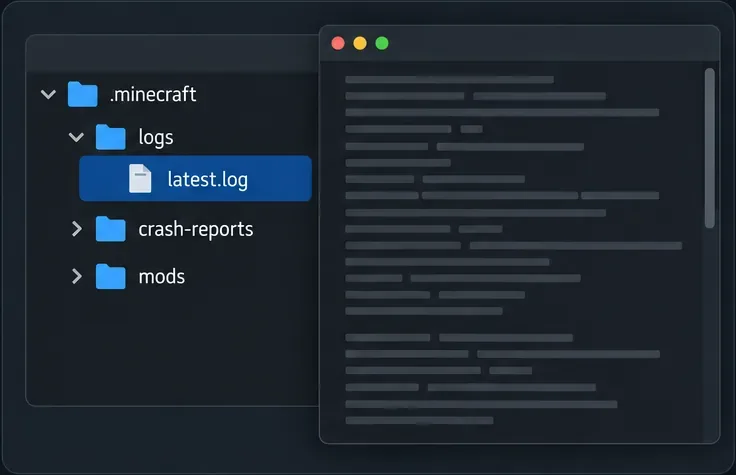
After reproducing the problem once, open the game directory and inspect logs/latest.log plus the newest file in crash-reports, if one was created. Fabric’s log guide identifies latest.log as the current log; crash reports are stored separately and contain crash information. If you use a third-party launcher, open that instance’s game folder because it may not use the default .minecraft directory.
Read the final section of the log and the main exception in the crash report. Note the Minecraft version, Fabric Loader version, Java runtime, and mod names shown in the report. A message about a missing dependency, wrong game version, or mixin failure calls for a different fix than a warning followed by a successful launch.
Use the current log and crash report to identify when the failure begins; a launcher exit code by itself is not enough.
Step 2: Back up the world and duplicate the profile
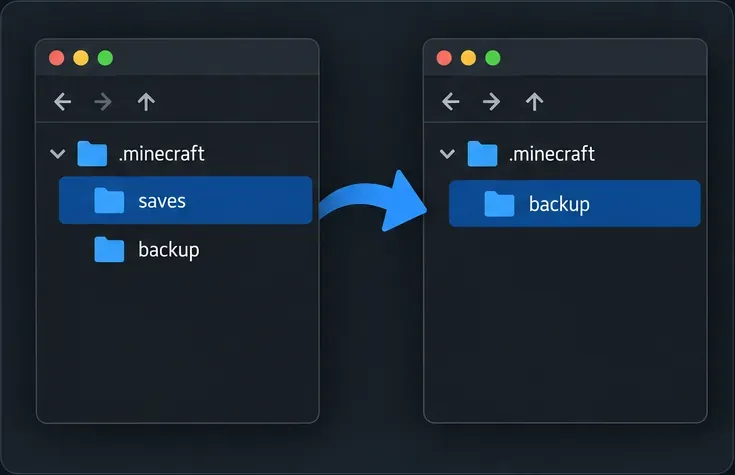
Close Minecraft before changing files. Copy the affected world from saves to a separate backup location, or use your launcher’s instance-copy feature if it provides one. Keep the backup separate from saves and do not change it while testing, so you can restore the world independently.
Make changes in a duplicate profile or instance. This lets you remove or update mods without altering the working copy of a modpack. Avoid deleting world data, clearing every config file, or replacing the entire mods folder before you know what failed.
Keep a separate copy of the world before testing changes to the mod profile.
Step 3: Match every mod to the same Minecraft setup
Check each mod against the exact Minecraft version and mod loader selected in the profile. Fabric’s installation guide specifically advises using mods for the target Minecraft version, for Fabric rather than another loader, and for Java Edition. A jar that worked on a nearby Minecraft release may not work on the version you are launching.
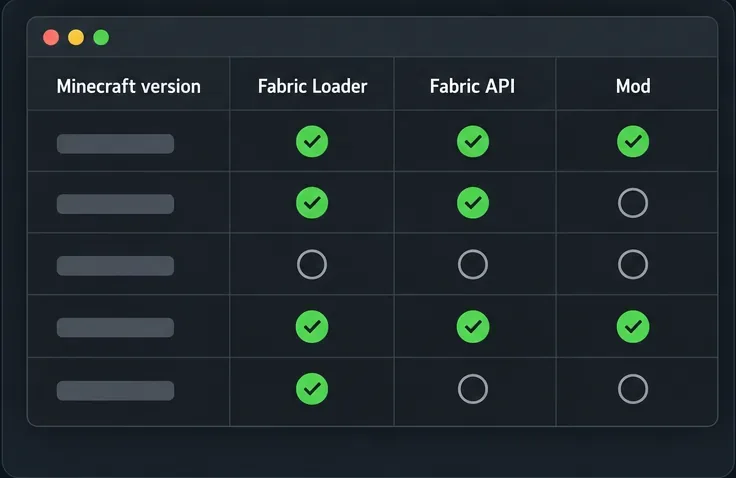
Confirm that Fabric Loader and the mod files belong to the same profile and Minecraft version.
Install Fabric API only when the mod or modpack requires it, and select a compatible release.
Open each mod’s official project page and check its supported game versions, loader, required dependencies, and release notes.
Remove duplicate or stale copies of the same mod from the test profile; keep one intended version of each file.
For Sodium, Iris, shader packs, and rendering add-ons, check their current compatibility notes together instead of updating one component in isolation.
One common version trap is Indium. Its project page says Sodium 0.6.0 and newer includes Fabric Rendering API support and that Indium is incompatible with Sodium 0.6.0+. Older Sodium combinations may have different needs, so follow the exact versions listed by the mods you use rather than adding Indium as a blanket fix.
Compare the Minecraft, loader, API, and mod requirements for your exact profile; the checklist is illustrative, not a version matrix.
Step 4: Test the smallest supported setup
In the duplicate profile, start with Fabric Loader and only the dependencies required for the test. Add the affected mod, then launch. If it works, add the next group of mods and test again. If the problem returns only after adding a rendering mod, shader, or content mod, you have narrowed the search without changing your original instance.
For a visual issue without a crash, temporarily turn off shaders and resource packs first, then test the rendering mods by themselves. If the game still crashes in a minimal profile, compare the log against the supported Java and Minecraft versions for that profile before changing more mods.
Step 5: Isolate the conflict in groups
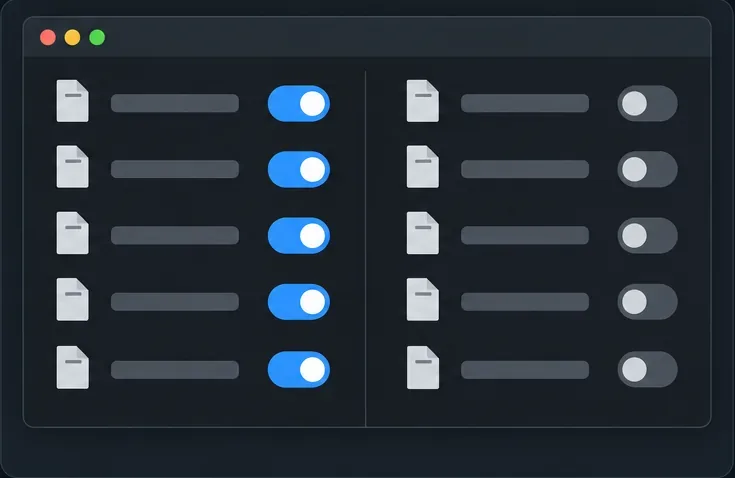
If the clean setup works but the full pack does not, divide the optional mods into two groups in the duplicate profile and test one group at a time. Keep required libraries and dependencies with the mods that need them. If the crash follows one group, split that group again; continue until one mod or a small combination reproduces the issue. Restore the other mods after each test so the result is clear.
Once identified, update or remove the incompatible release, or keep the known-good combination pinned in the profile. If no single mod reproduces it, test pairs from the affected rendering stack and check each project’s issue tracker or release notes. Do not edit fabric.mod.json inside a downloaded jar or paste unverified launch flags from a forum; those changes can hide a dependency problem or make the profile harder to diagnose.
Test mod groups in a copied instance and retain each mod’s required dependencies while narrowing the cause.
Quick Symptom-to-Check Reference
What you see
First check
Launcher closes with Code 1
Read latest.log and the newest crash report; the code alone does not name the cause.
Fabric reports an incompatible or missing mod
Match the mod’s Minecraft version, loader, and required dependencies to the profile.
Crash trace names a renderer or mixin
Test the related rendering mods together in a duplicate profile and compare release notes.
Game opens but textures look wrong
Turn off shaders and resource packs, then check rendering add-ons and model or texture mods.
Crash persists with a minimal profile
Check Java and profile versions, preserve the full log, and ask the relevant mod author for help.
When to Share a Log
If the crash remains after version checks and isolation, share the crash report and latest.log with the mod author or the Fabric player-support community. Fabric’s documentation recommends logs and crash reports because they let others inspect the stack trace and mod list. Before posting, review the file for your Windows username, private paths, server addresses, or other details you do not want to share. Include the exact Minecraft version, loader version, mod list, and the action that triggers the crash.
Frequently Asked Questions
Can I ignore a material warning if the game still runs?
A warning alone does not show that the world is damaged or that a crash is inevitable. If the game and visuals work normally, keep a backup and watch for repeatable problems. Investigate if it appears alongside missing textures, rendering glitches, or a crash report.
Should I always add Indium to fix Fabric rendering?
No. The Indium project states it is not needed and is incompatible with Sodium 0.6.0 or newer. For older combinations, check the exact dependency requirements of the rendering mod and Sodium release you have installed.