Home
» 🎮 Esports
»
🔥 Dominate Early Drops: Master the Thompson SMG in PUBG Mobile
🔥 Dominate Early Drops: Master the Thompson SMG in PUBG Mobile
🔥 Dominate Early Drops: Master the Thompson SMG in PUBG Mobile
The Thompson SMG in PUBG Mobile is strongest when an early fight happens at close range: inside a building, around a doorway, or across a short courtyard. Get it loaded, keep cover within reach, and use controlled movement to stay on target. It is not a magic answer for every distance, and no fixed landing spot guarantees a Thompson, so build your route around the loot and opponents you actually see.
PUBG MOBILE's official weapon reference lists the Thompson as a .45 ACP weapon with single-shot and full-auto firing modes and a 30-round basic magazine. It describes the gun as having a large magazine and concentrated bullet spread while moving. Those traits favor mobile close-quarters play, but they do not make careless sprays or long-range duels a good bet.
What the Thompson SMG is good at
Think of the Thompson as an early-fight tool for taking a room or defending a short approach. A full magazine gives you room to track a moving opponent, while the selectable firing mode lets you avoid wasting a full-auto burst when you only need a careful shot. The .45 ACP ammo type also makes it easy to identify the correct ammunition while looting.
Be wary of stat tables that claim exact damage, RPM, or a guaranteed effective range without identifying a current PUBG MOBILE version. Weapon balance and loot availability can change. Use the current in-game weapon information and your own training-ground feel instead of treating old numbers as a promise.
Four steps to win more early fights with the Thompson
1. Land for options, then secure the weapon
Choose a building cluster with more than one route out. If another squad lands on the same roof or doorway, a nearby structure gives you a fallback. On landing, scan for an immediate weapon, ammunition, and a vest or helmet before spending time on minor loot. If you find the Thompson, load it before pushing and make sure you have spare .45 ACP for another reload. Do not pass up basic protection to collect an arbitrary pile of ammunition.
Specific Thompson spawn locations are not a dependable plan across every map, mode, and update. Treat map callouts as situational and confirm the current loot pool in your client. A safe route and a usable weapon matter more than racing toward a named hot drop on the assumption that one gun will be there.
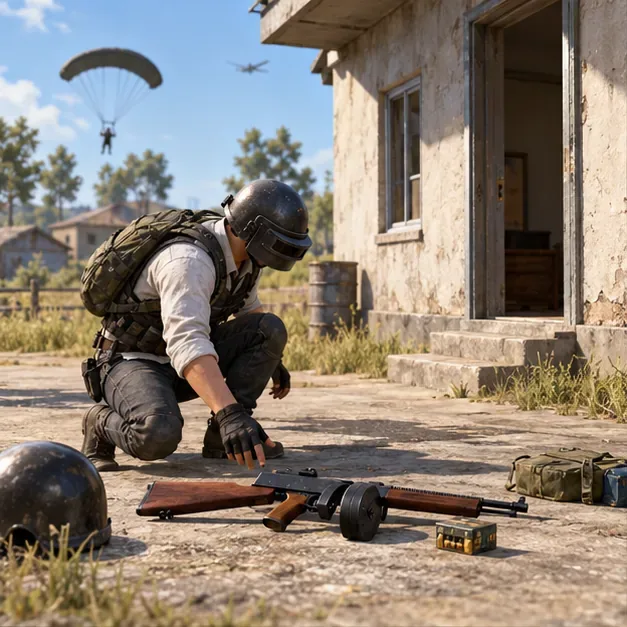
A player checks a Thompson and nearby loot while keeping the building entrance in view.
2. Equip only attachments the game shows as compatible
Prioritize upgrades that help you stay in the fight. If the Thompson's attachment slots in your current build offer an Extended Quickdraw Magazine, it adds capacity and reduces reload time. If a compatible Compensator is available, it reduces horizontal and vertical recoil. A red dot or holographic sight can help with deliberate aiming if the gun accepts it and you prefer using sights.
Attachment choice
Why it can help
How to decide
Extended Quickdraw Magazine
More rounds in the magazine and a faster reload
Take it when the Thompson's current slot accepts it
Compensator
Reduces horizontal and vertical recoil
Useful if recoil is pulling your spray off target
Red dot or holographic sight
Gives a clear sight picture for a short aimed burst
Use the sight you track comfortably, if compatible
Suppressor
Reduces weapon sound and recoil
Consider it when available; do not delay a safe reload to search for one
Attachment descriptions above come from the official PUBG MOBILE Help Center. The exact compatible slots are determined by the weapon in your current game build. Check the attachment panel before picking up a grip or other part; do not assume a Vertical Foregrip belongs on the Thompson.
3. Use hip-fire up close and aim deliberately as space opens
When an opponent is only a few steps away, keep your movement active and guide the crosshair across the target instead of standing still and holding the trigger. Hip-fire can be practical at point-blank range because it lets you keep moving and react quickly. If the opponent backs off or pauses in a longer lane, use the sight for a more deliberate burst rather than chasing with a wide spray.
Practice tracking while strafing in the training area. Fire a short sequence, reset your aim, then repeat from a slightly different direction. The goal is to learn how the Thompson feels on your device and with your control settings. The official weapon description highlights concentrated spread while moving, but your accuracy still depends on distance, aim, and movement.
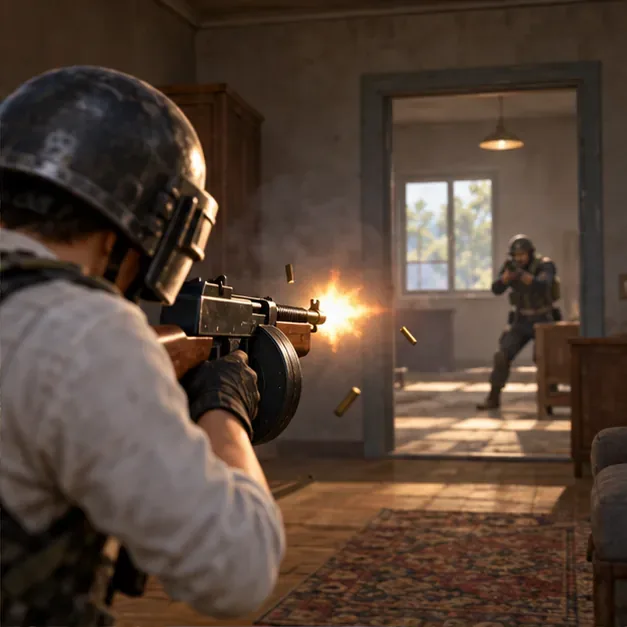
A close-range fight rewards steady crosshair tracking and movement instead of a stationary spray.
4. Clear doorways with cover, then leave before the next squad arrives
Before entering a room, listen and locate the likely threat. Keep the doorframe or wall between you and the opponent as you check the angle; do not sprint through the center of the opening with your crosshair pointed at the floor. If the first exchange does not secure the elimination, reposition rather than repeating the same peek. Reload behind cover, not in the doorway.
After a knock or a quick fight, expect another team to hear the shots. Heal, check your ammunition, and move to the next safe building or a position with more cover. The Thompson can help you finish a close engagement, but it is less useful if you stay in one room until a third party arrives.
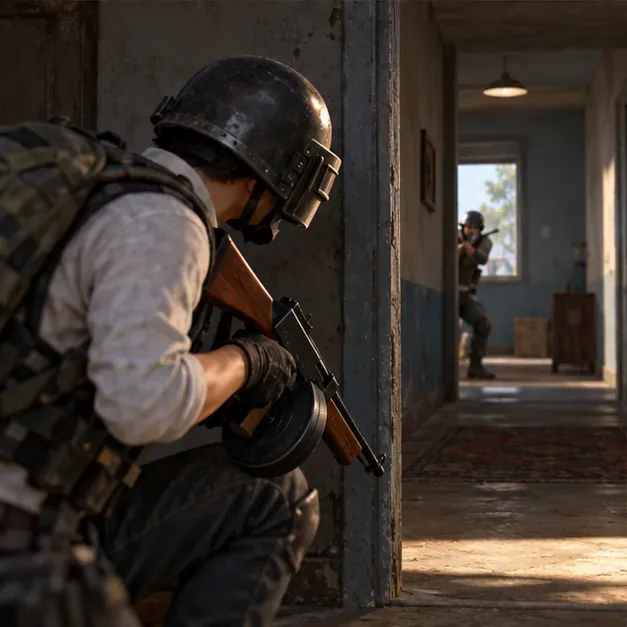
Use the doorframe as cover and keep the next angle in view before committing.
Choose a second weapon for the next distance
Pair the Thompson with an assault rifle or another weapon that covers mid-range fights. Keep the Thompson ready for rooms and short pushes; switch to the longer-range option when the fight moves into open ground. Because the Thompson uses .45 ACP, plan ammunition for both weapons separately and leave backpack space for healing items, throwables, and a few useful reloads.
In squads, tell teammates which building or side you are clearing and avoid stacking in the same doorway. One player can hold the exit while another checks the room. If your team has already won the area, stop firing and rotate together instead of inviting another fight you do not need.
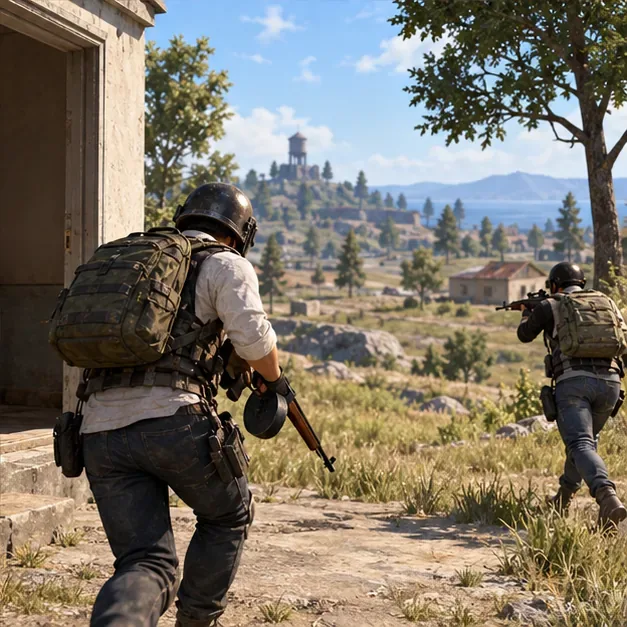
After securing a building, move toward cover with a teammate watching the approach.
Common Thompson SMG mistakes
Spraying across open ground: Close the distance safely or switch to your second weapon.
Reloading in the open: Break line of sight first, then reload and heal.
Looting for too long: Take a compatible magazine, useful protection, and enough supplies to move; do not linger over every item.
Following a fixed spawn claim: Loot changes by map and mode, so adapt to what is on the ground.
Chasing a perfect build: Use the attachment slots shown in the current match and start fighting with the weapon you have.
Quick checklist before your next push
The Thompson is loaded and you have spare .45 ACP.
You have basic armor and a route back to cover.
You know whether the next fight is close enough for hip-fire or needs a sighted burst.
You have reloaded behind cover and know where your teammate is.
Your second weapon can handle an opponent outside the Thompson's close-range role.